
Your Gaming Setup.Under Control.
Bring your games, supported device insights, and customizable gaming HUD together in one focused Android companion.
FramePilot is not on Google Play yet.
- Android 8.0+
- No account
- No ads
- No subscription
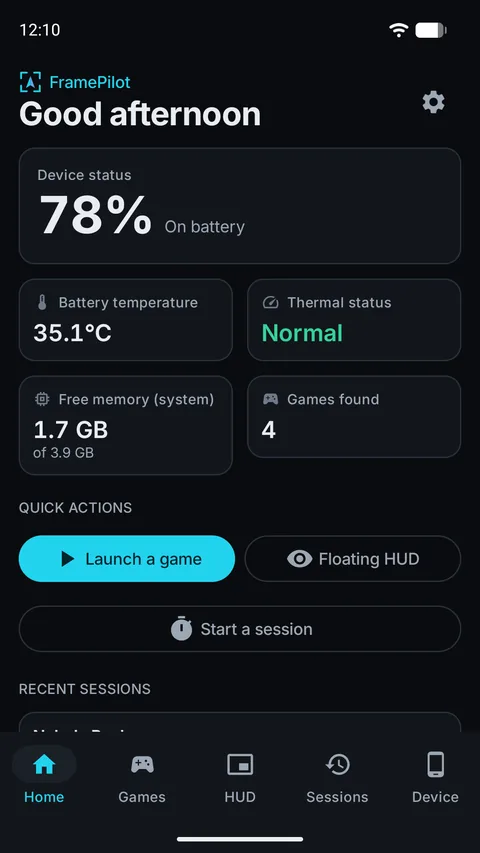
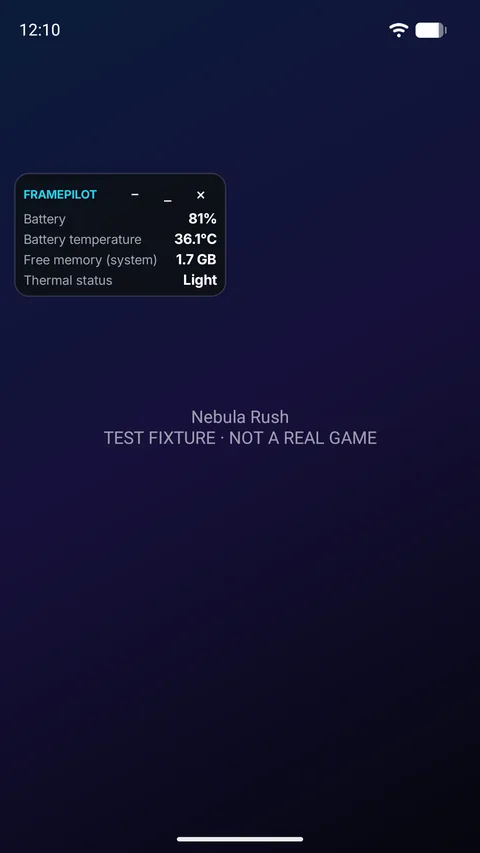
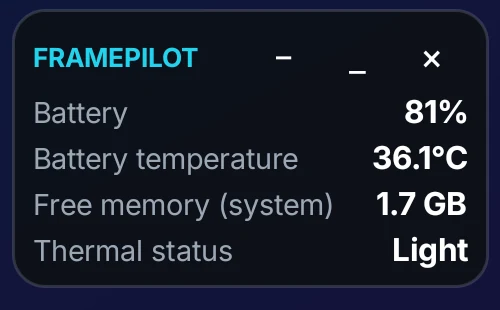
Screens on this page are real captures from FramePilot running on an Android emulator; the HUD is shown over a test scene, and battery and thermal values on the emulator are simulated. Your device shows its own readings.
Everything a gamer’s phone should keep in one place
Built around what Android actually exposes, so what you see is real, and what’s unavailable is labelled.
Game Library
Finds installed games that Android categorizes as games, lets you add any other app by hand, and launches them in a tap. Search, sort, favorites and a recently-launched row.
Floating HUD
A small overlay with battery, battery temperature, charging state, free system memory, Android thermal status and screen refresh rate. Compact or expanded, draggable, with adjustable size, transparency and accent color.
Device Monitor
Battery, thermal status (Android 10+), system memory and display modes, with plain-language notes on what each number does and doesn’t mean.
Gaming Sessions
Start and stop sessions yourself. Review duration, battery change, temperature range, thermal status changes and free memory. Gaps in the data are shown, never filled in.
Personalization
Dark, light or system theme, English and Vietnamese, the HUD metrics you want, and an adjustable sampling interval.
Privacy by Design
No account, no ads, no analytics SDK and no internet permission. Settings, favorites and sessions stay on your device.
A closer look
Clean, dark and focused. Swipe or scroll through the main screens.
HomeDevice status at a glance 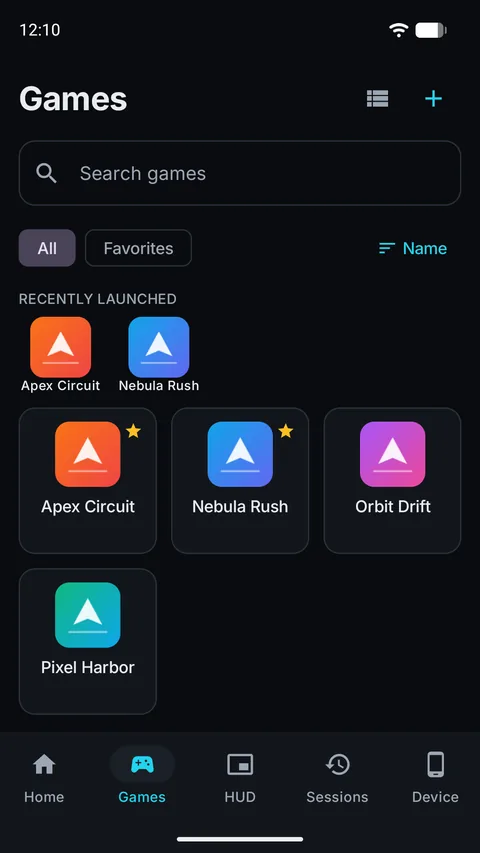
Game librarySearch, favorite, launch 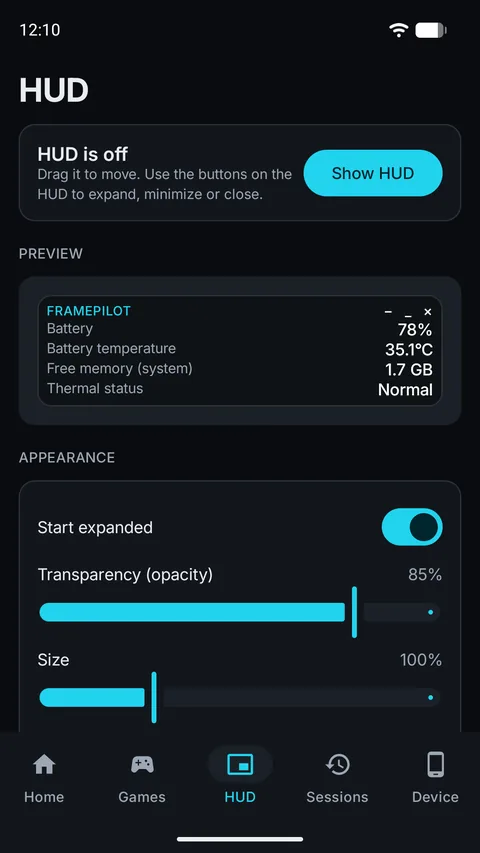
HUD settingsMake the overlay yours 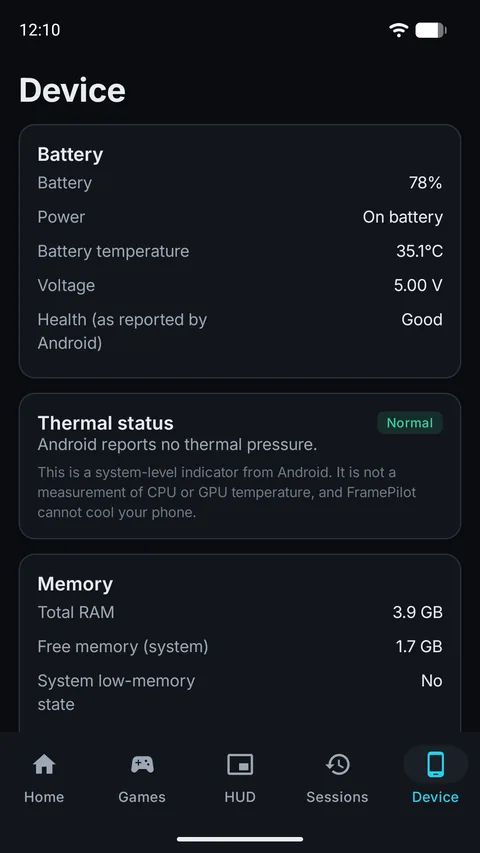
Device monitorReadings, explained 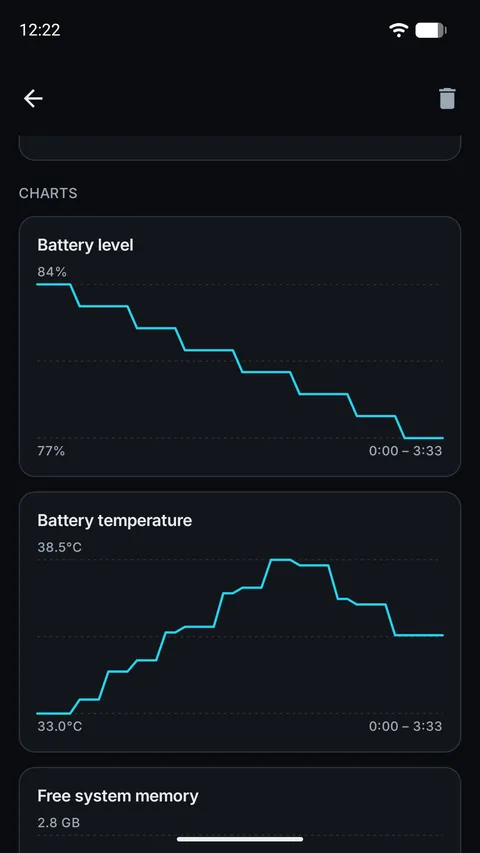
Session chartsReal samples, honest gaps
Three steps, no setup maze
Open FramePilot
Home shows what your device reports: battery, temperature, Android thermal status (Android 10+), free memory and how many games were found. Anything unavailable says so.
Pick a game or set up the HUD
Launch a game from your library, or add one by hand. For the HUD, allow “Display over other apps” when asked, then tap Show HUD and drag it where you like.
Record and review a session
Start a session before you play and stop it when you finish. The report shows battery change, temperature, thermal changes and any gaps in recorded data.
About the overlay permission
The HUD needs Android’s “Display over other apps” permission, because Android requires it for anything drawn above another app. FramePilot explains this in the app first, then opens Android’s settings screen where you switch it on. After that:
- The HUD starts only when you tap Show HUD, never on its own and never at boot.
- While it runs, Android shows a notification with a Stop button. The HUD is kept alive by a foreground service.
- You can revoke the permission any time; FramePilot then removes the HUD cleanly.
- The HUD draws only its own panel. FramePilot doesn’t read what’s on your screen.
Your Device. Your Data. Your Control.
FramePilot reads device readings and the list of launchable apps on your phone so it can work, and saves what it needs locally. Here is what we can verify in the app today:
No account
There is nothing to sign up for or log in to.
Works offline
Core features run on your device. The app doesn’t request Android’s internet permission.
Stored on your device
Settings, favorites and sessions are saved locally. Android backup is switched off for the app.
No ads or tracking SDKs
The app contains no advertising, analytics or crash-reporting SDK.
Questions, answered honestly
What is FramePilot?
FramePilot is an Android gaming companion. It shows the device readings Android makes available (battery, thermal status, system memory, screen refresh rate), lists and launches your installed games, offers a customizable floating HUD, and records gaming sessions that you start and stop yourself.
Which Android devices are supported?
FramePilot requires Android 8.0 or later. What you see depends on your phone: Android thermal status needs Android 10 or later, not every device reports battery temperature, and overlay behavior can vary by manufacturer and battery-saving settings. Anything your device doesn't report is shown as unavailable rather than estimated.
Does FramePilot increase FPS?
No. FramePilot doesn't boost frame rate, remove lag, cool your phone or clean memory, and it doesn't show FPS: Android provides no supported way to measure another app's frame rate. The screen refresh rate it can show is how often your display updates, which is a different thing.
Does the HUD work in every game?
Not guaranteed. The HUD uses Android's “Display over other apps” capability. Most apps allow it, but some apps, system screens and manufacturer features block overlays. If the HUD doesn't appear in a particular game, see Support for troubleshooting.
Why does the app need overlay permission?
Android requires “Display over other apps” for anything drawn above another app. FramePilot uses it only to show the HUD, never starts the HUD on its own, and explains the permission in the app before you open Android's settings. You can revoke it at any time. For the HUD, Android also needs a visible notification while it runs, which has a Stop button.
Does FramePilot require an account?
No. There is nothing to sign up for or sign in to.
Does FramePilot work offline?
Yes. Core features run on your device, and the app doesn't request Android's internet permission.
What information does FramePilot collect?
The app reads device readings and the list of launchable apps on your phone so that it can work, and stores your settings, game-library choices and recorded sessions on your device. It contains no code that sends information over a network and no advertising, analytics or crash-reporting SDK. See the full Privacy Policy, including a table of every kind of data the app touches.
Is FramePilot free?
No. FramePilot is intended as a one-time purchase on Google Play, with no ads and no subscription. The price and availability shown on the Google Play listing apply and can differ by country.
How can I contact support?
Use the details on the Support page, which also covers common problems and what to include in a bug report.
Keep your gaming tools in one place.
Real device readings, a HUD you control, and session reports that don’t make things up. No account, no ads, no subscription.
FramePilot is not on Google Play yet.